Toolkit Pro
by AllWPCare · adds to the free WellTend Site and Admin Toolkit
Bigger tools for the dashboard you use every day: redirects that keep old links working, a log of every email, alerts when something risky changes, a simpler admin for your clients, and lists with the columns you need.
Eight bigger tools.
Admin Columns Manager
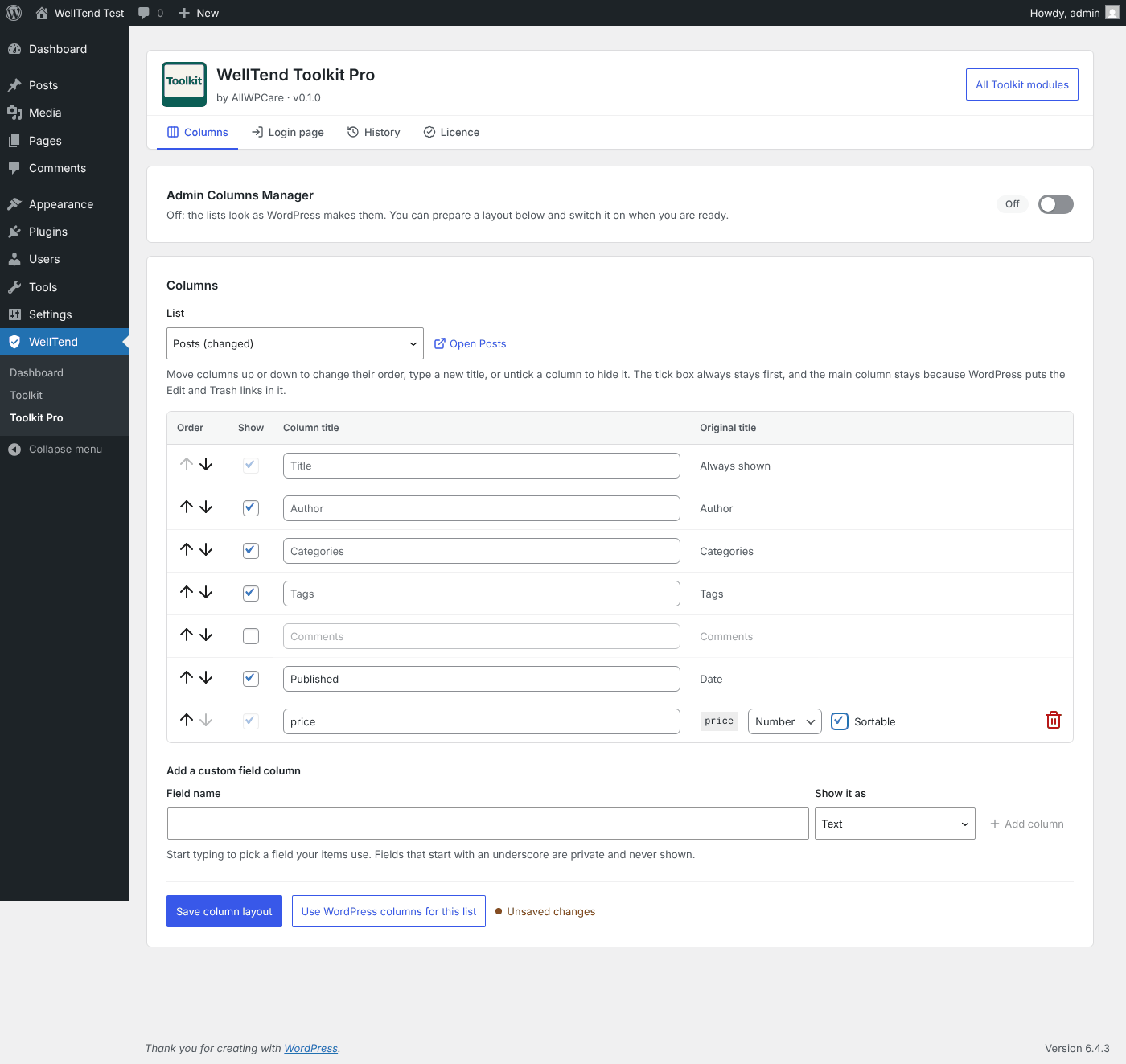
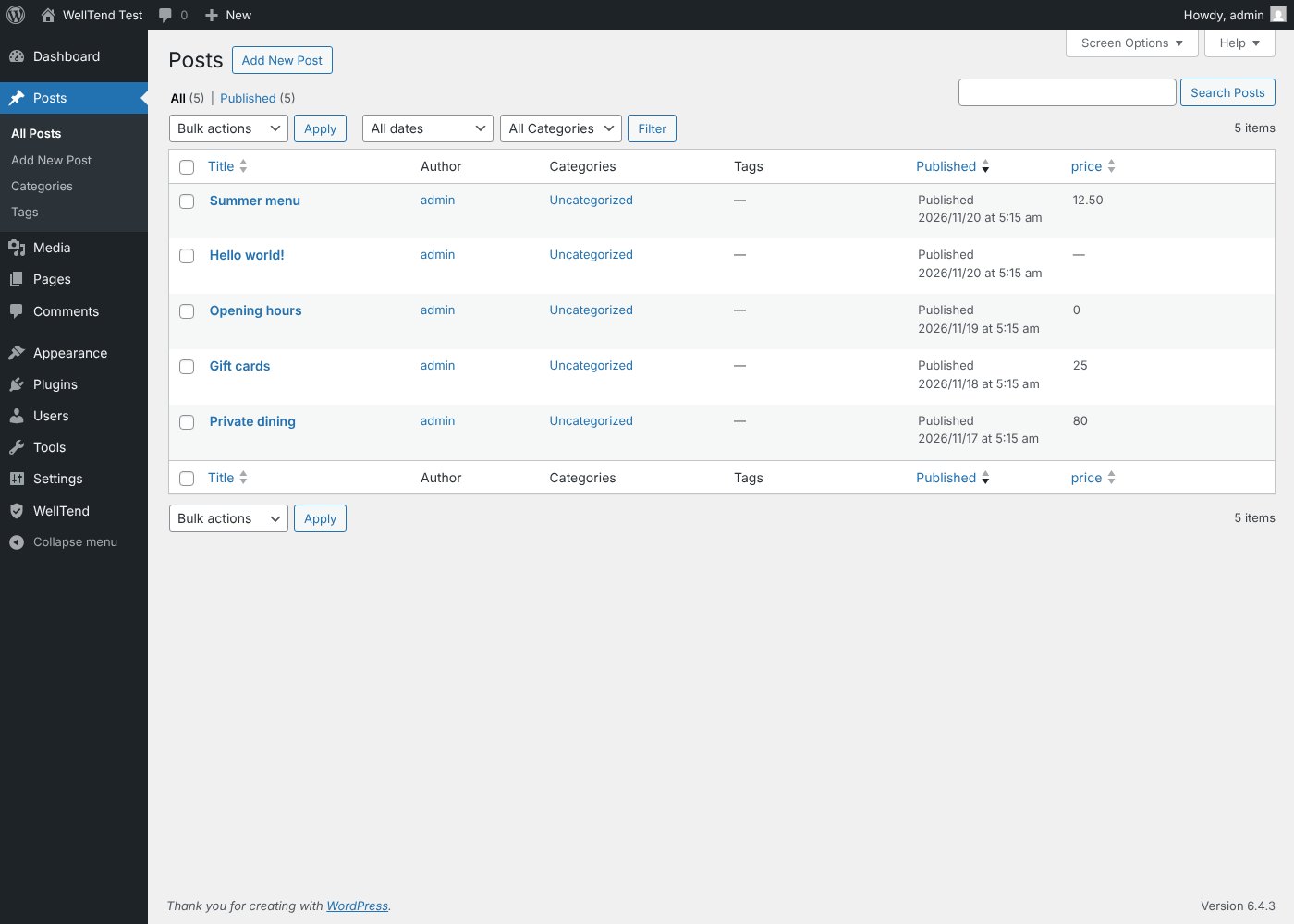
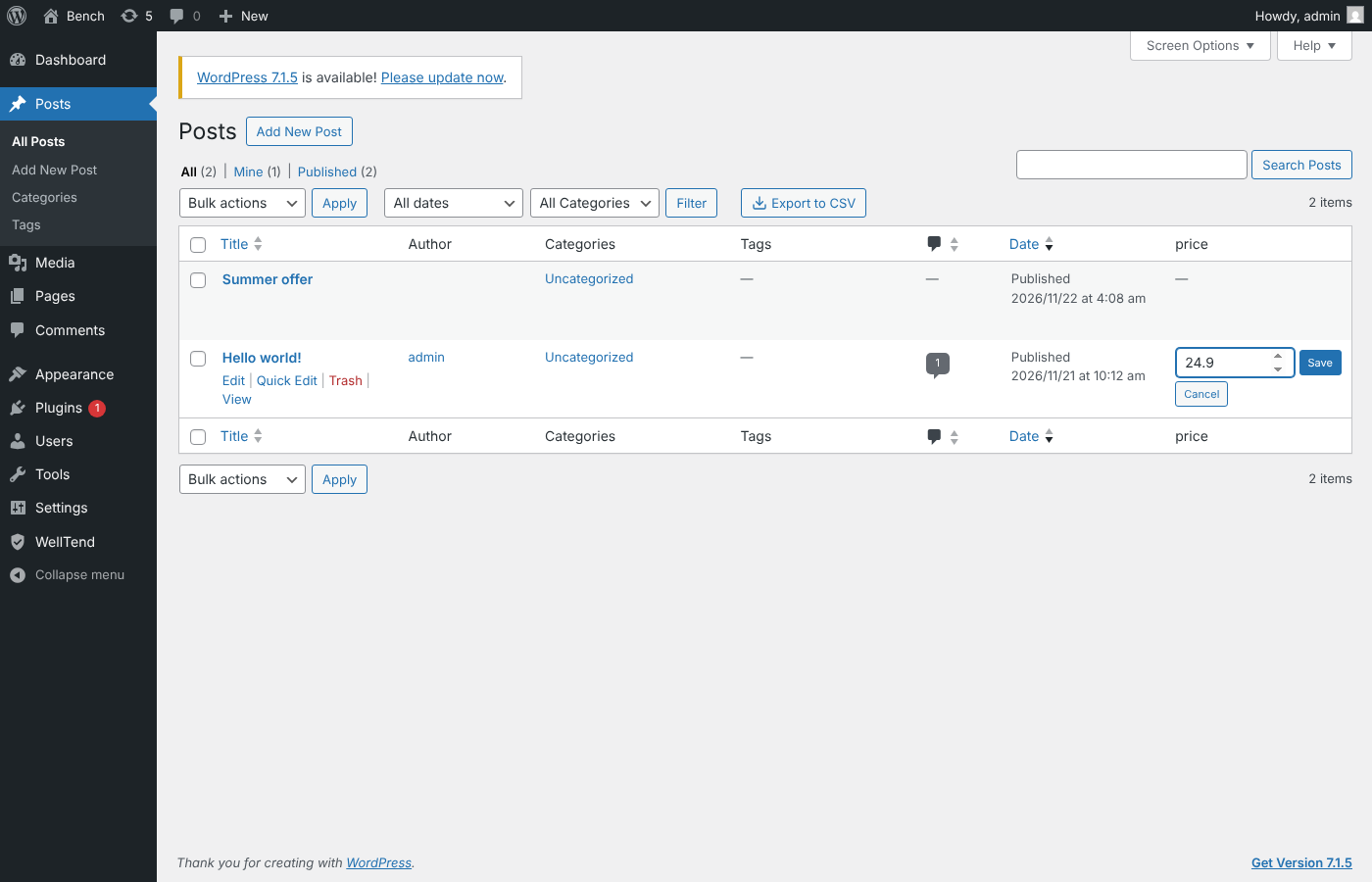
Reorder, rename and hide the columns in your post, page and user lists. Add a column that shows a custom field, such as a price or an event date, sort by it and edit it right in the list. Export any list to a CSV file.
Login Page Designer
Pick colours, a background picture, where the form sits and a short message. A live preview shows the result before anyone else sees it.
Change History
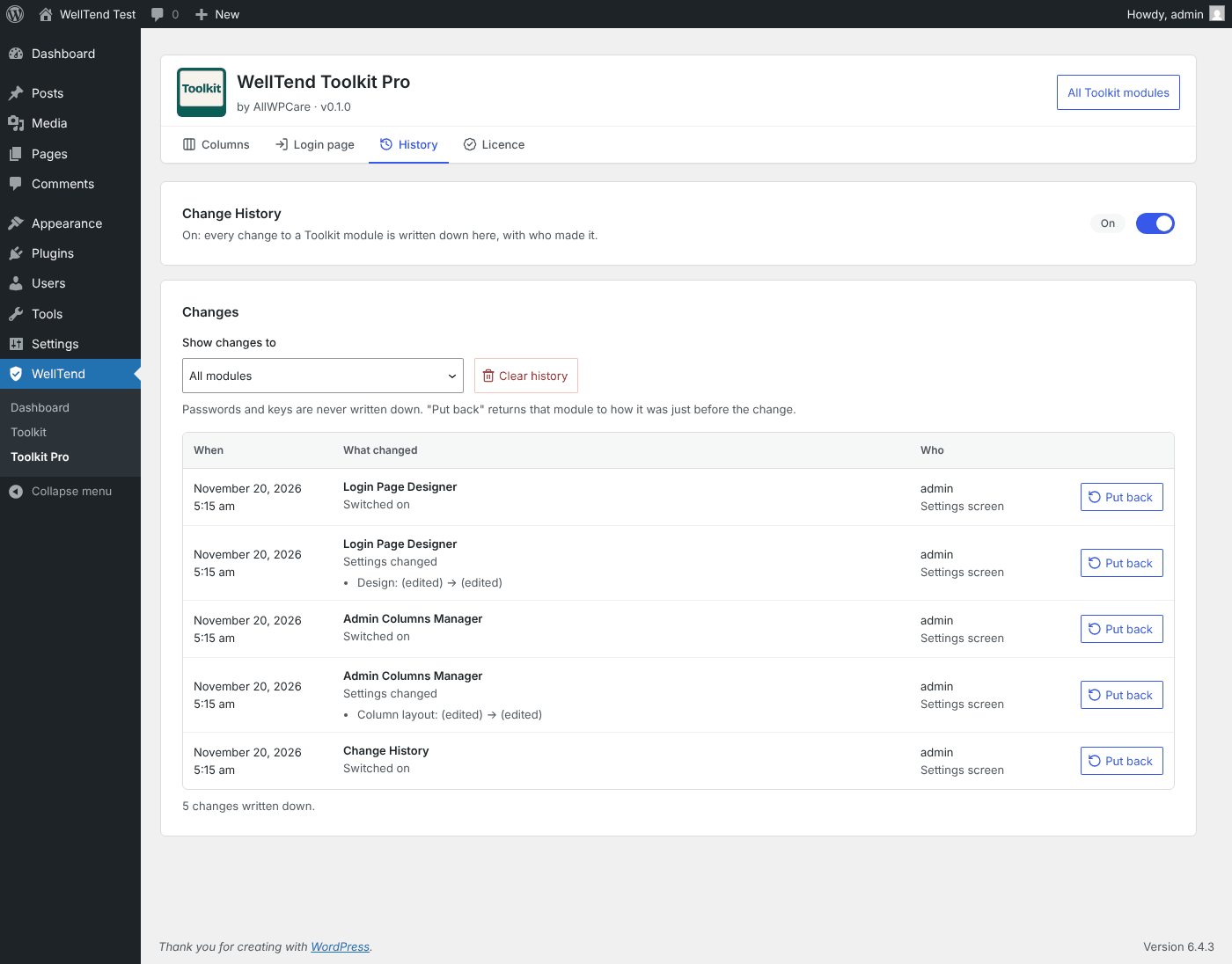
See who changed which Toolkit setting, when, and from where. Any change can be put back with one click. Passwords and keys are never written down.
Wait Before Automatic Updates
Automatic plugin and theme updates wait a few days (you pick 1 to 30) after a new version comes out, so a broken release is usually fixed before it reaches you.
Redirects and 404 Log
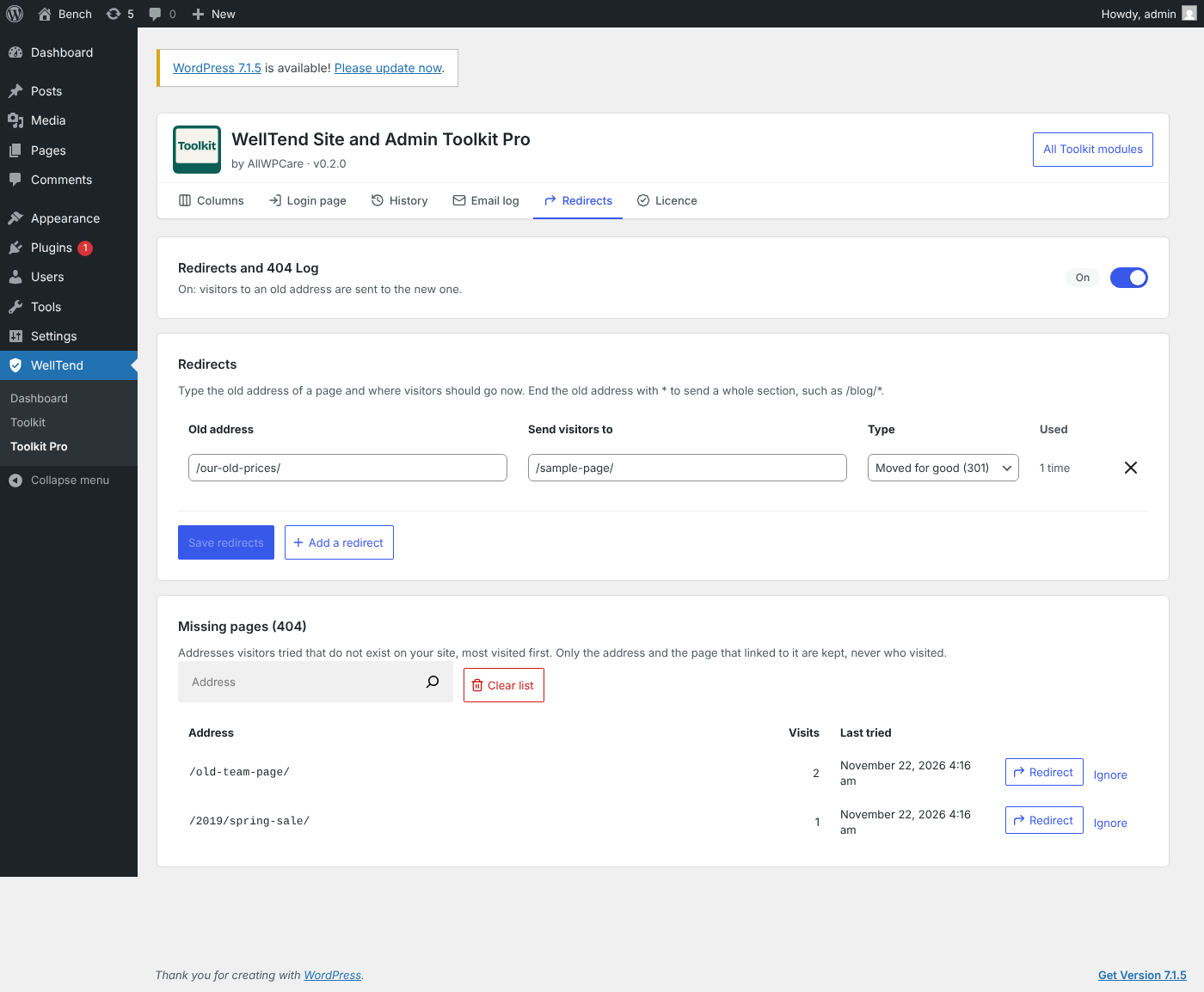
Send visitors from an old page address to the new one, so links and search results keep working. See which missing pages people try, and fix each one with one click.
Email Log
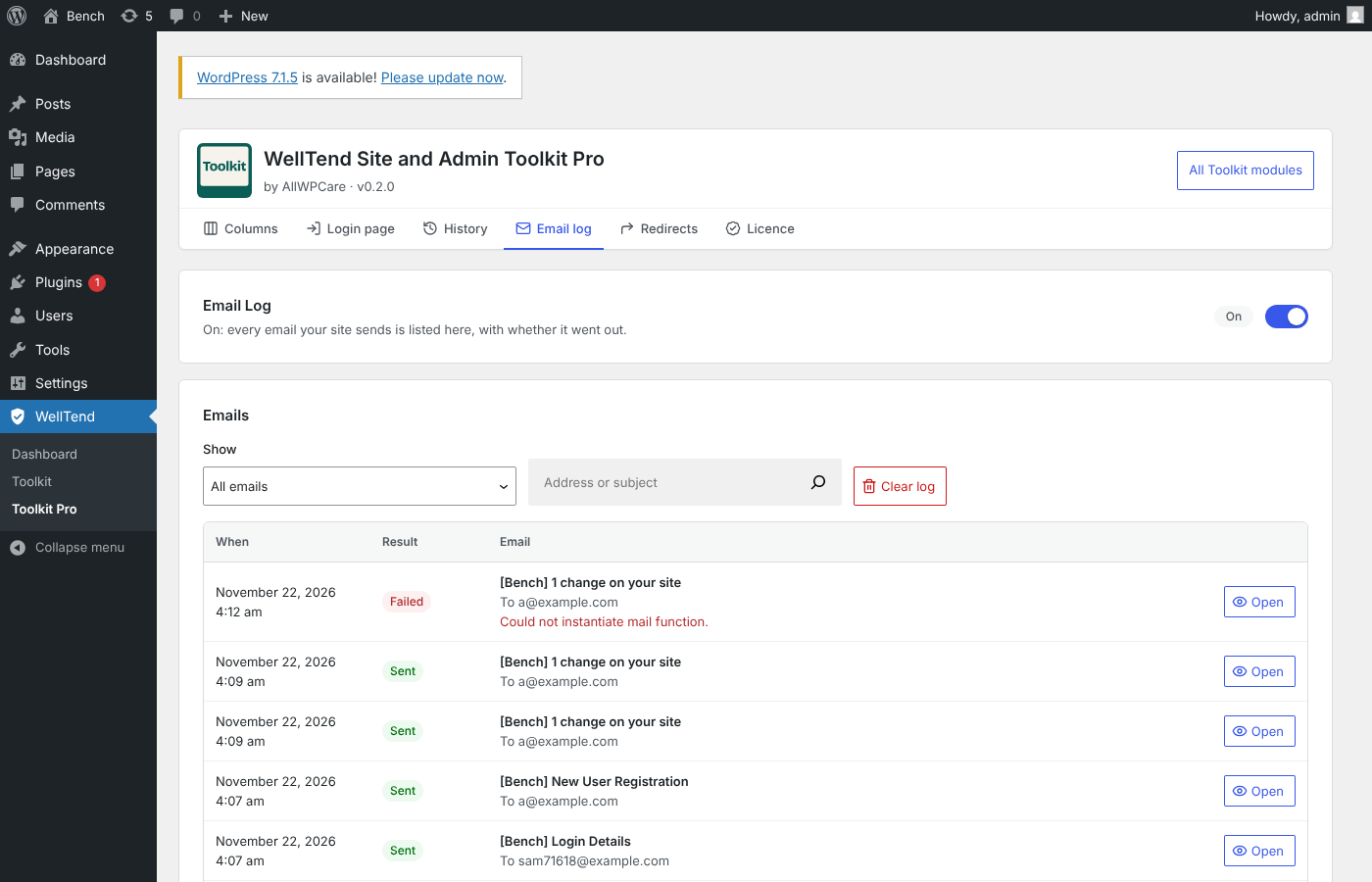
Every email your site sends, whether it went out, and why not if it failed. Open any email and send it again. Password reset links are hidden and never sent twice.
Email Alerts on Risky Changes
Get one email when someone adds or removes a plugin, changes the theme, makes a new administrator or updates WordPress, with who did it.
Client Mode
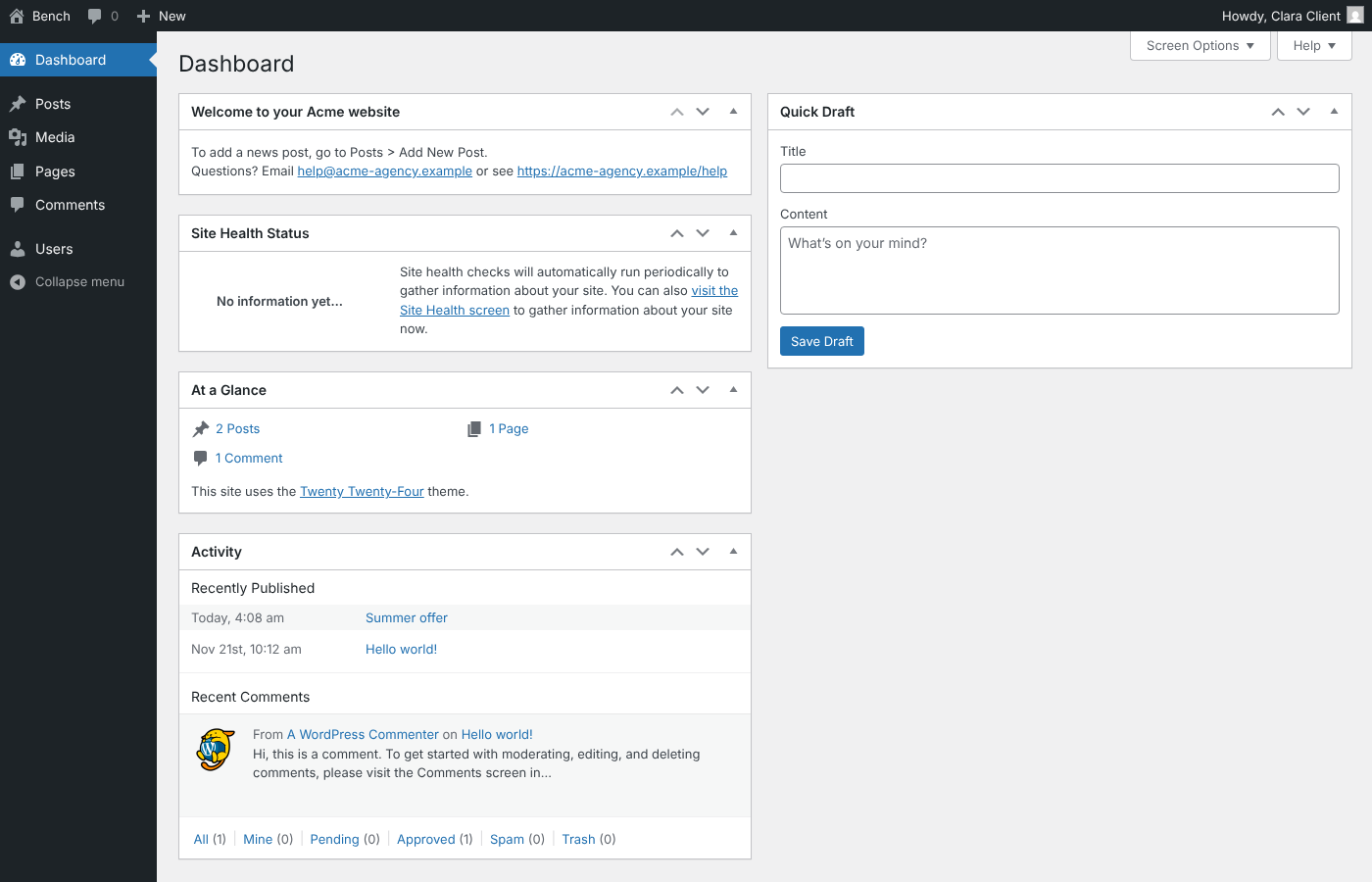
Give clients and staff a simpler admin: hide Plugins, Settings and other screens, remove the WordPress logo and update messages, and greet them with your own welcome box. You keep the full admin.
Six modules that are not on WordPress.org.
Custom Admin CSS
Your own styles for the dashboard, checked before they are saved.
Custom Site CSS
Your own styles for the front of the site, without a child theme.
Header and Footer Code
Add tracking or verification tags to every page. A safe mode shows any page without them if a snippet breaks.
Email Delivery (SMTP)
Set the sender of every email and send them through your own mail service, so they reach the inbox.
Contact Form
A simple form with spam protection. Messages are emailed to you and kept in a list you can export.
Disable All Updates
Turn off update checks, automatic updates and update emails, for a site someone else keeps up to date. Pick only the parts you need.
See it in WordPress.

One price a year. Nothing switches off.
- Prices in US dollars, tax added at checkout
- 30-day money back, no questions
- Keeps working if you do not renew
Careful with your site.
Everything starts off
Each Pro switch is off until you turn it on. Switch it off again and your site is as it was.
Undo and safety copies
Pro switches save as you click, with the same Undo as the free Toolkit. Risky ones take a safety copy first and show up in WellTend Settings Snapshots.
A way back without the dashboard
The WELLTEND_KIT_DISABLE_MODULES line in wp-config.php turns Pro modules off too, if something ever locks you out.
Before you buy.
Do I need the free Toolkit?
Yes. Toolkit Pro is an add-on: it adds its switches to the free WellTend Site and Admin Toolkit, which you install from WordPress.org. If the free Toolkit is missing, Pro shows a notice with an install link and does nothing else.
What happens when my licence runs out?
Everything keeps working. A licence pays for a year of updates and help by email. If you do not renew, you keep the last version you got, and you can renew any time to get updates again.
Can I get my money back?
Yes. Within 30 days of buying, email us and we refund you in full. No questions and no forms.
How do I install it?
After you pay, you get an email with the download link and your licence key. In WordPress go to Plugins, Add New, Upload Plugin, and pick the zip. Then paste your key once when Toolkit Pro asks for it.
Can I move my licence to another site?
Yes. On the old site, open WellTend, Toolkit Pro, Licence and deactivate it there, then enter the same key on the new site. Each plan covers that many sites at the same time.
Does Toolkit Pro send data anywhere?
Only what the licence needs: about once a day your site address and licence key go to our licence service, Freemius, to check for updates. No usage tracking. The email log, redirects and the 404 list stay on your site, alerts go only to the address you choose, and nothing else leaves your site unless you set up Email Delivery.
Who takes the payment?
Freemius, our reseller, runs the checkout. It takes cards and PayPal, adds VAT or sales tax where the law asks for it, and emails you a receipt. Your card details never reach us.
What about All Access?
All Access will cover Pro for every WellTend plugin. It goes on sale once a second Pro add-on is ready. Until then, Toolkit Pro is the only one to buy.
Ready when you are.
Pick a plan above. If it is not right for you, you get your money back within 30 days.
See the plans