Settings Snapshots
by AllWPCare · part of the plugin family
Export, diff and restore your WordPress settings. See exactly what changed on your site, and put it back in one click.
Six things, done properly.
Snapshots
Capture core settings, popular plugins like Yoast, Rank Math and WooCommerce, and every WellTend Site and Admin Toolkit module in one point-in-time record.
Export / Import JSON
One readable file, stable key order, so the file diffs cleanly in git. Import it on another site and review before anything is written.
Diff
Plain-language changes, such as "Comments: open → closed", with the raw key one click away for developers.
One-click restore with undo
Restore one area of settings or a whole snapshot. A pre-restore snapshot is taken first, so a wrong click costs you ten seconds.
WP-CLI
wp awc config export | import | diff | restore. Script it in deploys, or run it over SSH on a client site.
Secrets never exported
API keys, SMTP passwords and license keys are redacted at the source. Environment keys like siteurl are excluded by default.
See the dashboard.
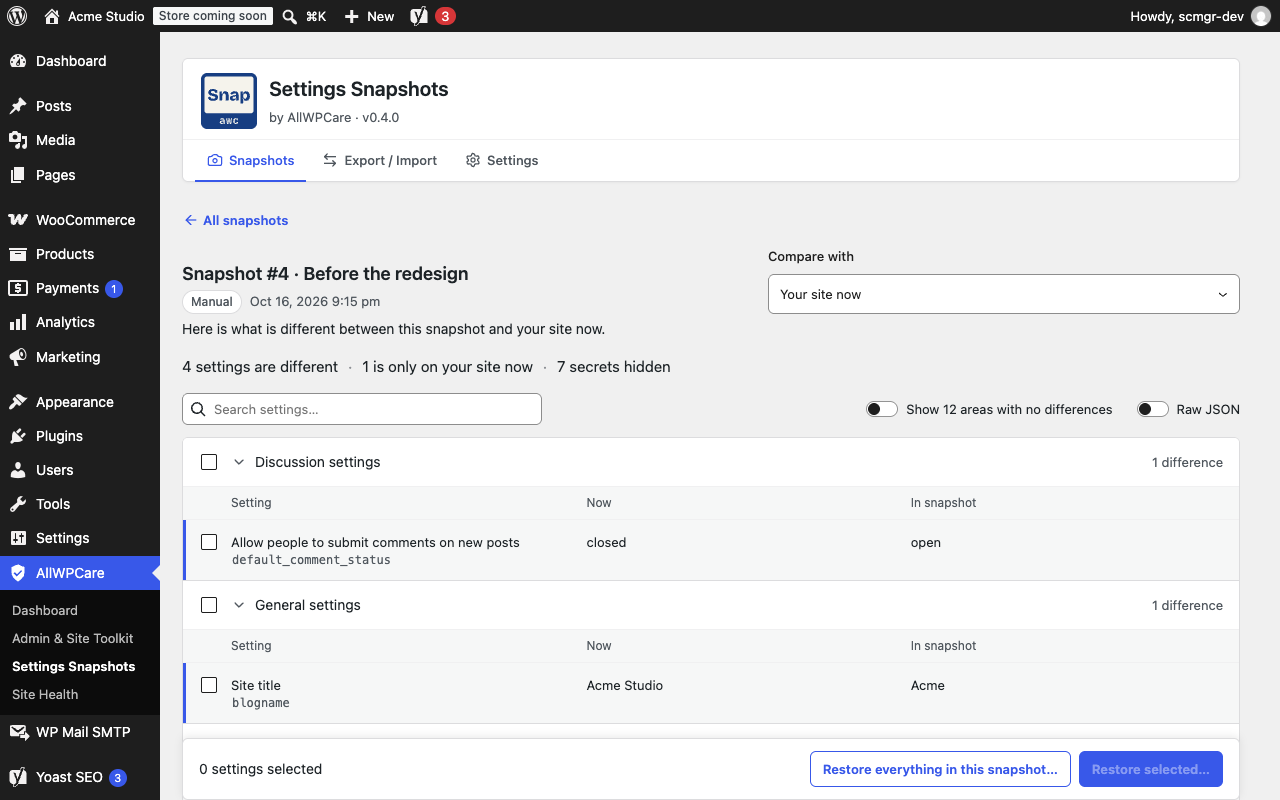
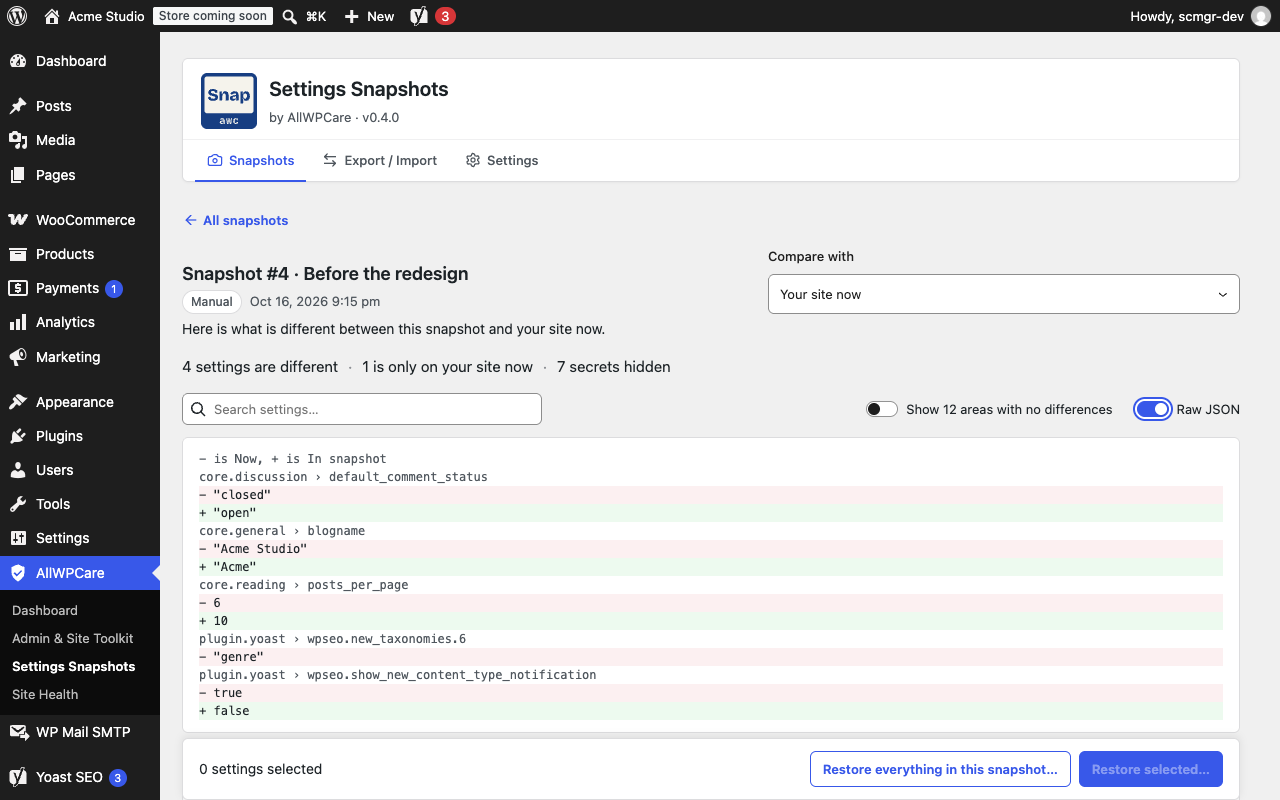
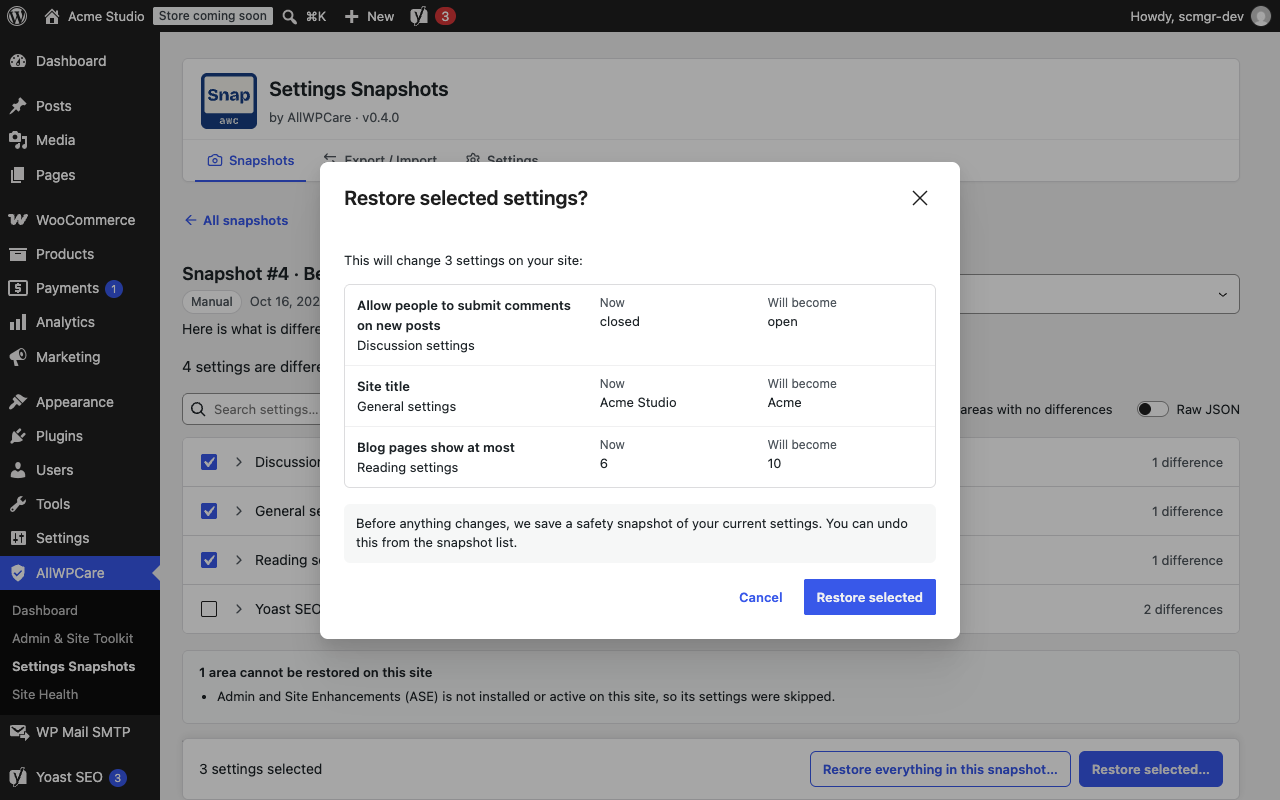
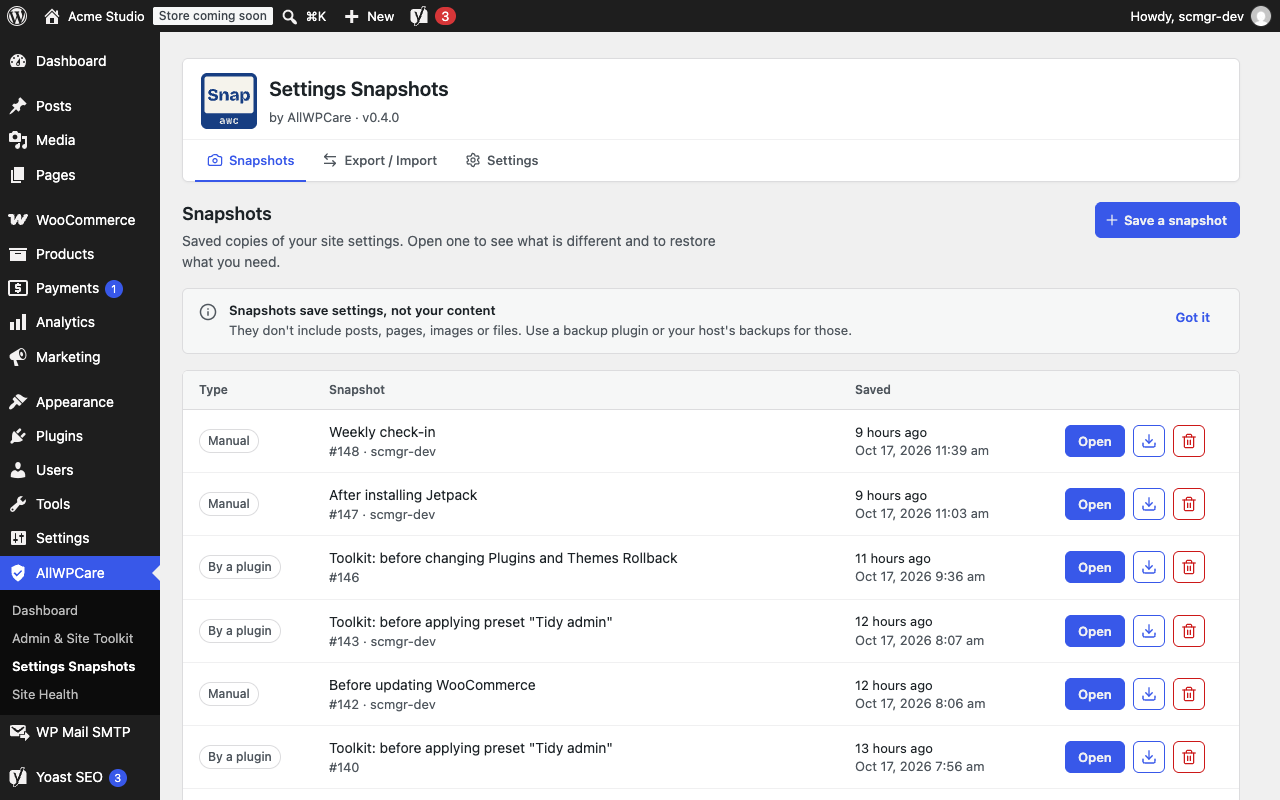
It remembers your settings. Keep your backups for the rest.
A snapshot holds options and plugin settings. It does not hold posts, pages, media, users, orders or files. Use it to see what changed and put a setting back, and keep your normal site backups too.
Admin and Site Toolkit.
The Toolkit changes your site with small switches. WellTend Snapshots remembers each change, so every tweak is undoable. It keeps WellTend Health Monitor's settings in the same snapshots.
Free covers the whole loop. Pro watches it for you.
| Feature | Freeon WordPress.org | Procoming soon |
|---|---|---|
| Snapshots, export and import | Included | Included |
| Diff and one-click restore with undo | Included | Included |
| WP-CLI commands | Included | Included |
| Drift detection: email me the diff when settings change | Not included | Coming soon |
| Multi-site sync across your sites | Not included | Coming soon |
| Blueprints: reusable starting configs | Not included | Coming soon |
Good to know.
Is WellTend Snapshots a backup plugin?
No. It saves your settings, not your content. A snapshot holds options and plugin settings, but no posts, pages, media, users, orders or files. Keep taking your normal site backups.
Does it change how my site works?
No. It only reads, compares and restores settings. Tweaks such as disabling emojis or hiding the WordPress version live in WellTend Site and Admin Toolkit, and their settings appear in your snapshots when both are active.
Are passwords and API keys in the export?
No. Passwords, API keys and licence keys are replaced with a marker at the source, so an export is safe to commit to git.
What if I restore the wrong thing?
A safety copy of your current settings is taken before every restore. Restoring that copy puts everything back, including removing options the restore created.
Be first when it lands on WordPress.org.
One email when the plugin is approved, one when Pro opens. Nothing else.