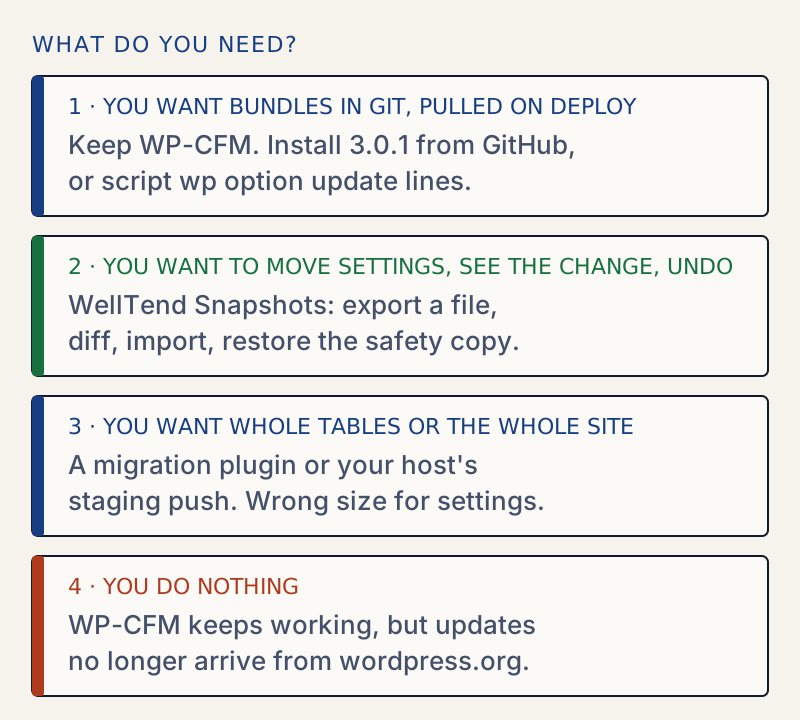
WP-CFM was closed on wordpress.org on 14 January 2026, permanently, with the reason "Author Request". You do not have to move. Sites that already run it keep working. What changed is where updates come from: the author now ships them from GitHub, and version 3.0.1 is there.
This page says what is verified, how to keep using WP-CFM, and what else covers the same need. I installed WP-CFM 3.0.1 and WellTend Snapshots 0.5.0 on one throwaway WordPress 7.1.4 site and did the same job in both: carry a site title and a "posts per page" value from one site to another.
What happened, and what is verified#
Checked on 30 October 2026:
| Fact | Where we saw it |
|---|---|
| Closed on 2026-01-14, permanent, reason "author-request" | The wordpress.org plugin API for wp-cfm returns closed: true with that date and reason |
| The plugin page says it "is not available for download" and the closure "is permanent" | wordpress.org/plugins/wp-cfm/ |
| The last version on wordpress.org was 1.7.10 | The same page |
| The author told users to use GitHub for future updates | A support thread by the author on wordpress.org |
The maintained home is forumone/wp-cfm-dist, not archived, last pushed 2026-08-25, newest tag 3.0.1 | GitHub |
Composer package forumone/wp-cfm points to that repository | Packagist |
Two things we could not find: the author's reason beyond "Author Request", and the exact date of the "use GitHub" post (the forum shows only relative dates). One reply in that thread says removing a plugin from the directory can break sites that depend on it. That is the real risk: not that WP-CFM breaks, but that wp plugin update and the dashboard updater no longer see new versions.
Do you have to move?#
No, if WP-CFM works for you. Three things are worth knowing before you decide.
- Updates stop coming from wordpress.org. You get them from GitHub, by hand, with Git Updater or with Composer.
- Version 3.x asks for PHP 8.2 and WordPress 5.0 or newer (the plugin header says so).
- The folder name changes. WP-CLI installed the GitHub zip as
wp-cfm-dist, notwp-cfm. Scripts that call the folder by name need the new name.
Keep WP-CFM: install it from GitHub#
The repository README offers three ways: upload the zip, use Git Updater, or run composer require forumone/wp-cfm. I used the tag zip:
wp plugin install https://github.com/forumone/wp-cfm-dist/archive/refs/tags/3.0.1.zip --activatewp plugin list --fields=name,version,statusname version statuswp-cfm-dist 3.0.1 activeIf you already have 1.7.10 active, deactivate it first so two copies do not run together.
What WP-CFM does#
WP-CFM copies chosen database settings to files and back. A bundle is a named list of option names. Push writes the bundle's values from the database to a JSON file. Pull reads the file into the database. It also supports taxonomy terms, Custom Field Suite field groups and multisite network settings.
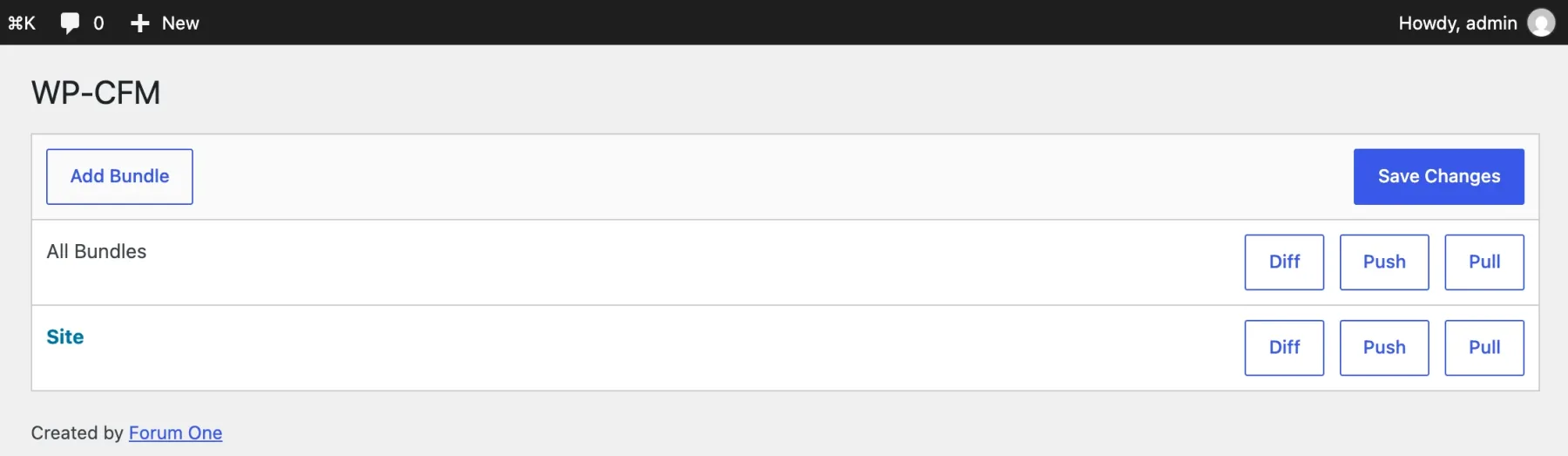
I made a bundle called site with three options and pushed it:
wp config bundleswp config push sitecat wp-content/config/site.jsonname label is_file is_db configsite Site 1 ["blogname","blogdescription","posts_per_page"]Success: The bundle has been written to file.{ "blogdescription": "", "blogname": "Staging Cafe", "posts_per_page": "7", ".label": "Site"}I then changed the title in the database and ran wp config pull site. The title went back to the file's value, so the round trip works. The file is plain, sorted JSON, which is why it fits in git.
Two things to know about WP-CLI#
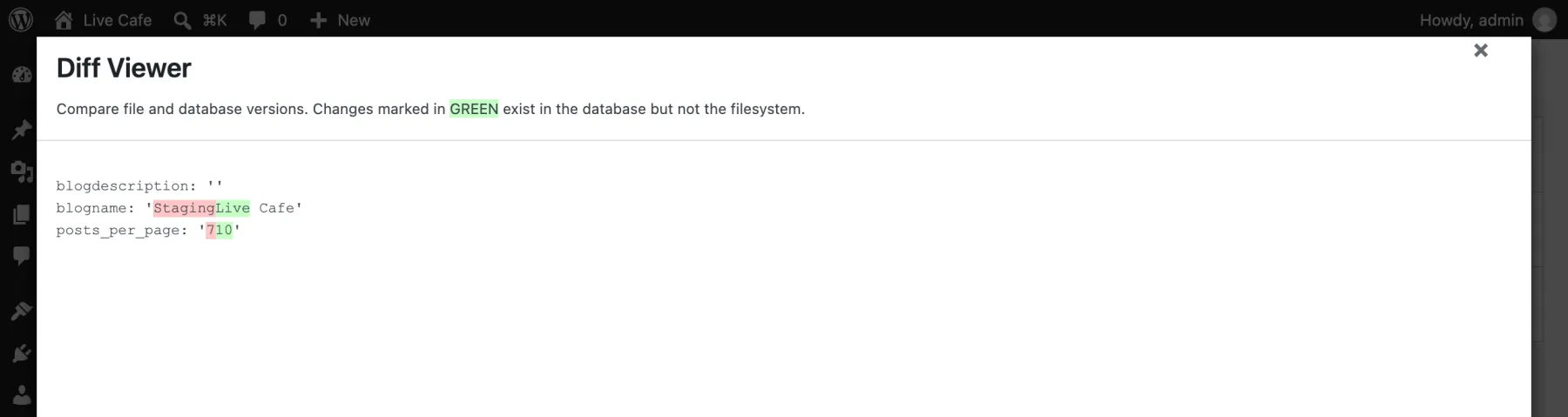
wp configis shared. WP-CFM addsbundles,diff,pullandpushto the samewp configcommand that WordPress's own CLI uses forwp-config.php(get,set,create). It works, but you will see both lists together.wp config diffprinted nothing for me. I changed a value so the database and the file differed, and the command printed nothing and exited 0. The admin screen's Diff button did show the difference (next picture). This was WP-CFM 3.0.1 on WordPress 7.1.4. Until you have tested it on your own version, do not usewp config diffas a CI check.
WellTend Snapshots: the same job, a different tool#
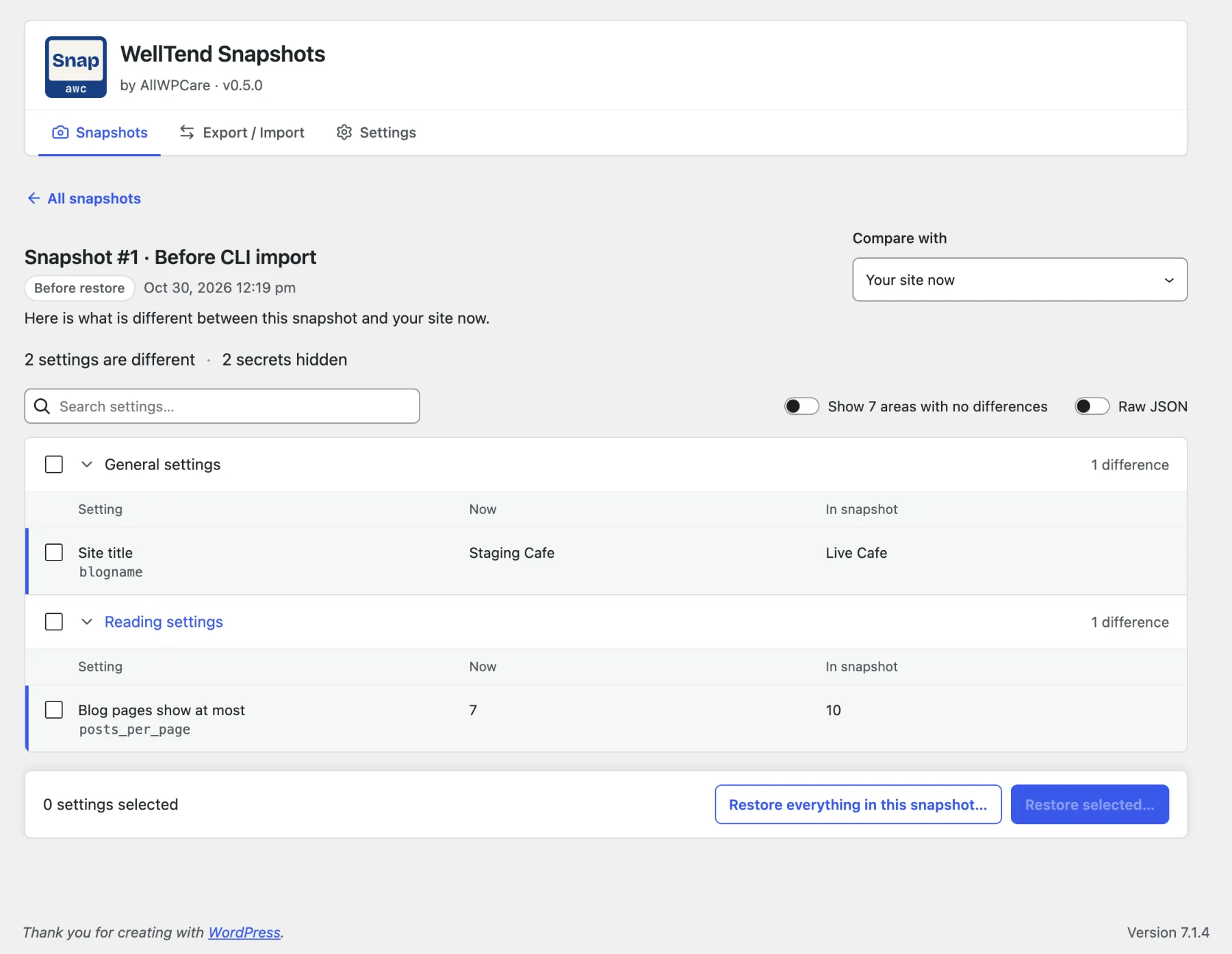
WellTend Snapshots is our plugin, so weigh what follows with that in mind. It saves settings as one JSON file, shows what differs in plain words, applies a file with a preview, and keeps a safety copy before every restore or import.
I did the same task with it:
wp awc config export --file=/tmp/staging.jsonwp awc config diff /tmp/staging.jsonGeneral settings (core.general) - Site title changed from 'Staging Cafe' to 'Live Cafe'.Reading settings (core.reading) - Blog pages show at most changed from 7 to 10.2 secret values are redacted and were not compared.diff exits with 1 when settings differ and 0 when they match, so a script can test it. Then the import, first as a dry run:
wp awc config import /tmp/staging.json --dry-runwp awc config import /tmp/staging.json --yesSuccess: Dry run: 2 changes would be applied.Success: Applied 2 changes. Undo with: wp awc config restore 1The title and posts per page changed, and a second diff reported "No differences". wp awc config restore 1 put the old values back. Two exports of unchanged settings were byte-identical (cmp found no difference), which keeps git history clean. The commands live under wp awc config, so wp config is untouched.
What WellTend Snapshots does not do#
This is the part that decides whether it can replace WP-CFM for you.
- No named bundles. You choose areas or single settings each time (
--sources,--only). Nothing is saved as "the site bundle". - No config folder and no push or pull. You write the file with
export --file=and apply it withimport <file>. You place the file yourself. It is not a deploy tool. - Settings only. No taxonomy terms, no Custom Field Suite groups, no posts, users or media.
- No multisite network features in this version. It works per site.
- Not on wordpress.org yet. On 30 October 2026 the plugin API answered "Plugin not found" for
welltend-snapshots. Download it from our site.
Where it differs in your favour: you do not need to know option names (core, theme and well-known plugin settings have plain names), secrets and look-alike names are replaced with a marker and never exported, environment values such as the site address are left out unless you ask, and every restore can be undone.
Other options#
| Option | Level it works at | Fit as a WP-CFM replacement | Checked |
|---|---|---|---|
| WP-CFM 3.x from GitHub | Chosen options, terms, CFS groups | Same tool | 2026-10-30 |
| WellTend Snapshots 0.5.0 | Settings areas and single settings | Export, diff, import, undo. No bundles, no push/pull | Lab, 2026-10-30 |
WP-CLI wp option | One option at a time | A script of wp option update lines in git. No diff or preview; you handle arrays and secrets | Lab, 2026-10-30 |
| WP Options Importer | Chosen options through Tools → Export and Import | Closest "options to JSON" plugin. 6,000+ installs, last updated 2023-03-03, tested up to 6.1.16. No WP-CLI mentioned on its page | wordpress.org, 2026-10-30 |
| WP Migrate Lite | Tables and full database | Lite exports and finds-and-replaces. Push, pull and table choice are Pro | wordpress.org, 2026-10-30 |
| Host staging push | Whole site, files, database or chosen tables | Wrong size for "a few settings". Read what it overwrites first | Kinsta docs |
Bedrock and .env files | wp-config.php constants and code | Does not carry database options | roots.io |
We found no plugin on wordpress.org that copies WP-CFM's "named bundles in the repo, pull on deploy" model. We searched the directory API for configuration management, export and import options, and sync settings. A plugin could have been missed.
About wp option: wp option list --search="blog*" --format=json and wp option get blogname --format=json both return JSON. It is the most transparent option, and the least safe, because nothing warns you before you overwrite a value. Our guide on moving settings from staging to live shows a careful routine.
Who should pick which#
- You run deploy scripts and want bundles reviewed in pull requests: keep WP-CFM. Install 3.0.1 from GitHub or Composer, check the PHP 8.2 requirement, and protect the config folder. WellTend Snapshots can be scripted with
export --fileandimport, but you would be building the bundle workflow yourself. - You move a handful of settings between staging and live and want to see the change and undo it: WellTend Snapshots fits. See the guide to exporting and importing WordPress settings and the one on finding and undoing changed settings.
- You also move terms, CFS field groups or network settings: stay with WP-CFM. Snapshots does not cover those.
- You want to avoid new software and your changes are few: a
wp option updatescript in git is enough. - You are really copying the whole site or whole tables: use a migration plugin or your host's staging push, not an option-level tool.
Whichever you choose, take a backup first. A settings tool is not a backup.
What we could not confirm#
- Why the author closed the plugin.
- The date of the "use GitHub" announcement.
- How WP Engine, Pantheon, Duplicator or WP STAGING handle selective copies. We did not read enough to compare them.
Compare two snapshots, or a snapshot with the live site, and read changes like "Comments: open → closed". The raw key is one click away.
FAQ
Will WP-CFM stop working on my site?
No. A closure on wordpress.org stops downloads and updates from there. A copy you already installed keeps running. New versions now come from the author's GitHub repository.
Why was WP-CFM closed?
wordpress.org lists the reason as Author Request. We found no longer statement from the author, so we do not know more than that.
Is WP-CFM abandoned?
Not on 30 October 2026. The GitHub distribution repository was last updated on 25 August 2026 and its newest tag is 3.0.1.
Does WellTend Snapshots replace WP-CFM?
Only for part of the job. It exports settings to one file, shows a diff, applies the file with a preview and keeps a safety copy to undo. It has no named bundles, no push and pull folder, and no terms or multisite network settings.
Sources
- WP-CFM on wordpress.org (closure notice) · Closed 14 January 2026, permanent, last version 1.7.10
- wordpress.org plugin API entry for wp-cfm · closed_date and reason: author-request
- Author's support thread: please see GitHub for future updates
- forumone/wp-cfm-dist on GitHub · README, install options, tag 3.0.1
- forumone/wp-cfm on Packagist
- WP-CLI: wp option
- WP Options Importer on wordpress.org
- WP Migrate on wordpress.org
One email when something breaks or changes.
New plugins and re-tested guides, about twice a month. Never a sales pitch.