Why it happens
- A plugin or theme assigns a value to a property its class never declared, such as
$this->items = array();in a class with nopublic $items;. PHP 8.2 made that deprecated. - The host moved the site from PHP 8.1 or older to PHP 8.2 or newer. The code did not change, but PHP now reports it.
- The author never updated the plugin or theme for PHP 8.2. The message names the file, so the path shows whose code it is.
WP_DEBUGis on and WordPress shows errors on the page (WP_DEBUG_DISPLAYis on, which is the default), so a message that is normally hidden reaches visitors.
How to fix it
Try the fixes in this order. Each one is independent: stop as soon as the error is gone.
Read the path to find who owns the code
- Look at the folder after
wp-content/.plugins/my-plugin/is a plugin called my-plugin,themes/name/is a theme, andmu-plugins/holds must-use plugins that the Plugins screen cannot deactivate. A path inwp-includes/orwp-admin/would be WordPress core. I loaded 15 front-end and admin screens on a clean WordPress 7.1.4 with PHP 8.3 andWP_DEBUGon, and none showed this message. - The name before
::$is the class and the name after it is the property. The line number is for the author. You do not need to open the file.
Update, or replace, the plugin or theme
- Go to Dashboard → Updates and update the plugin or theme named in the path. Authors fix this by declaring the property, or by adding one line above the class.
- If there is no update, send the author the exact message from your log. A report with the class, the property and the line is easy to act on.
- If the plugin is no longer maintained, pick a replacement; how to update plugins safely covers switching without breaking the site. In PHP 9 this deprecation is planned to become an error, so an abandoned plugin will stop working in time.
- To check that the plugin is the source, deactivate it (Plugins → Installed Plugins → Deactivate, or
wp plugin deactivate my-plugin). The message went away on my test site as soon as I did.
Hide it from visitors: log, do not display
- In
wp-config.php, above the line "That's all, stop editing", setdefine( 'WP_DEBUG', true );,define( 'WP_DEBUG_DISPLAY', false );anddefine( 'WP_DEBUG_LOG', true );. The message then goes towp-content/debug.logand not onto the page. I tested it: the page was clean and the log held one line per page load. - Or turn
WP_DEBUGoff. WordPress then tells PHP not to report deprecations at all. I tested this too, including with the server'sdisplay_errorsswitched on: nothing reached the page. - Both hide the message and leave the code as it is. When you use the log, keep
debug.logprivate (the WordPress site check tests this) and turn debugging off when you are done. See the WordPress debug log guide.
If you wrote the code: declare the property
- Add the property to the class:
public $items;(orprivate $items;). This is what PHP's manual recommends. On my test site this removed the message and the page still printed "Items: 3". - If the class really needs free-form properties, put
#[AllowDynamicProperties]on the line aboveclass. I tested this too. PHP 8.2 and newer read it. PHP 8.1 and older see a comment (the#starts one), so the same file runs on every PHP version. Child classes inherit the permission. - Do not use
@to hide the line, and do not use a catch-allerror_reportingcall to hide every deprecation. Both leave the bug in place.
The message means that some code gave a value to a property its class never declared. PHP 8.2 started reporting that as a deprecation. It is not a warning and not a fatal error: the code runs, the property is created, and the page loads. The path in the message names the plugin or theme that wrote the code, and the fix belongs to its author. Update or replace it. You can keep visitors from seeing the message by writing errors to a log instead of the page.
What you see#
The message is plain text with no styling. PHP prints it where the code runs, so it can land at the bottom of a page, above the admin menu, or in the middle of a layout.
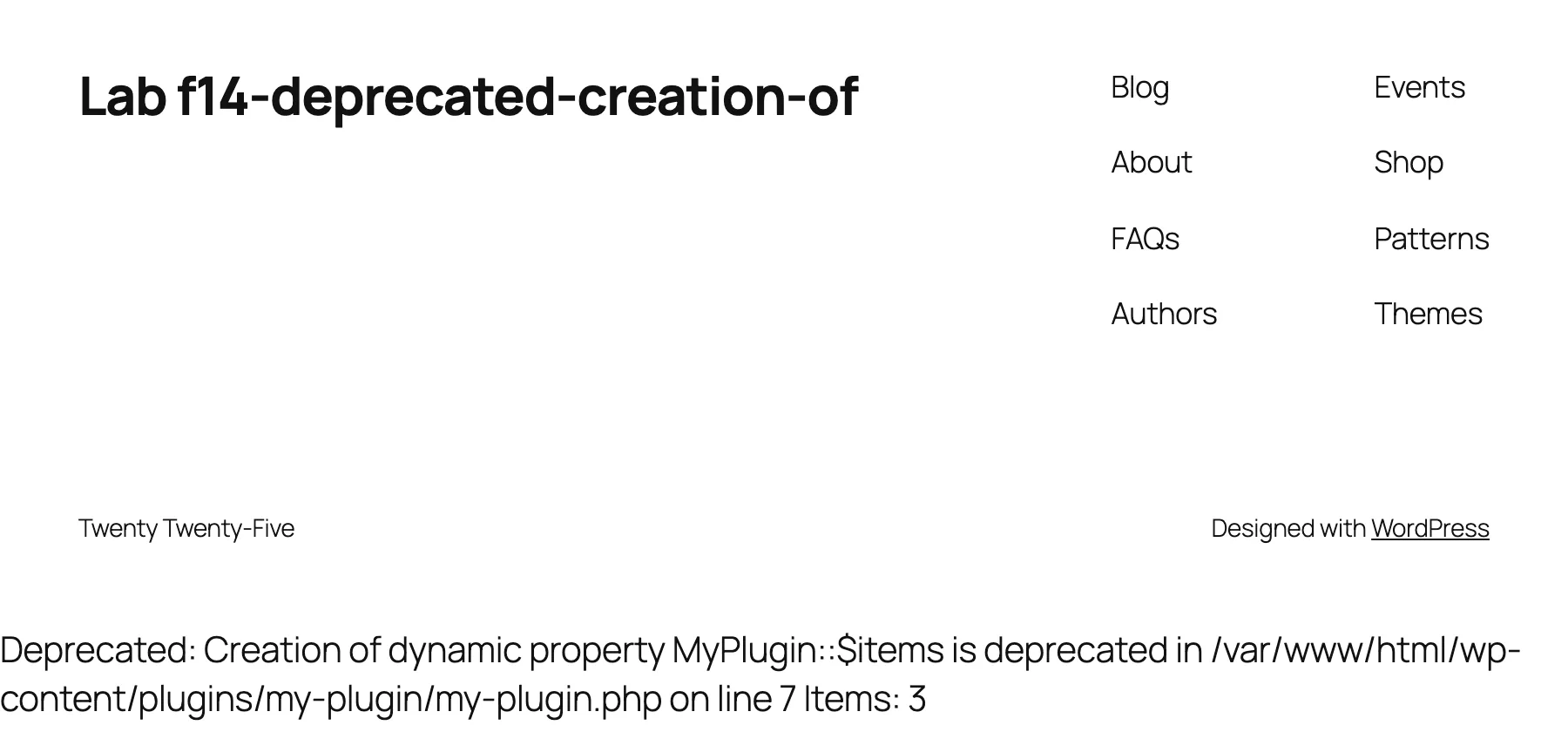
I made it with a one-file plugin:
<?php/*Plugin Name: My Plugin*/class MyPlugin { public function __construct() { $this->items = array( 1, 2, 3 ); }}add_action( 'wp_footer', function () { $p = new MyPlugin(); echo 'Items: ' . count( $p->items );} );The class has no $items declared. PHP creates it on the spot, and PHP 8.2 and newer say so.
How it works#
Before PHP 8.2, you could assign to any property name on any object, and PHP made it. A typo in a name created a new property and hid the bug. PHP 8.2 made this deprecated, unless the class opts in. PHP's RFC says PHP 9.0 will throw an Error instead, so the message is a notice that the code will break later.
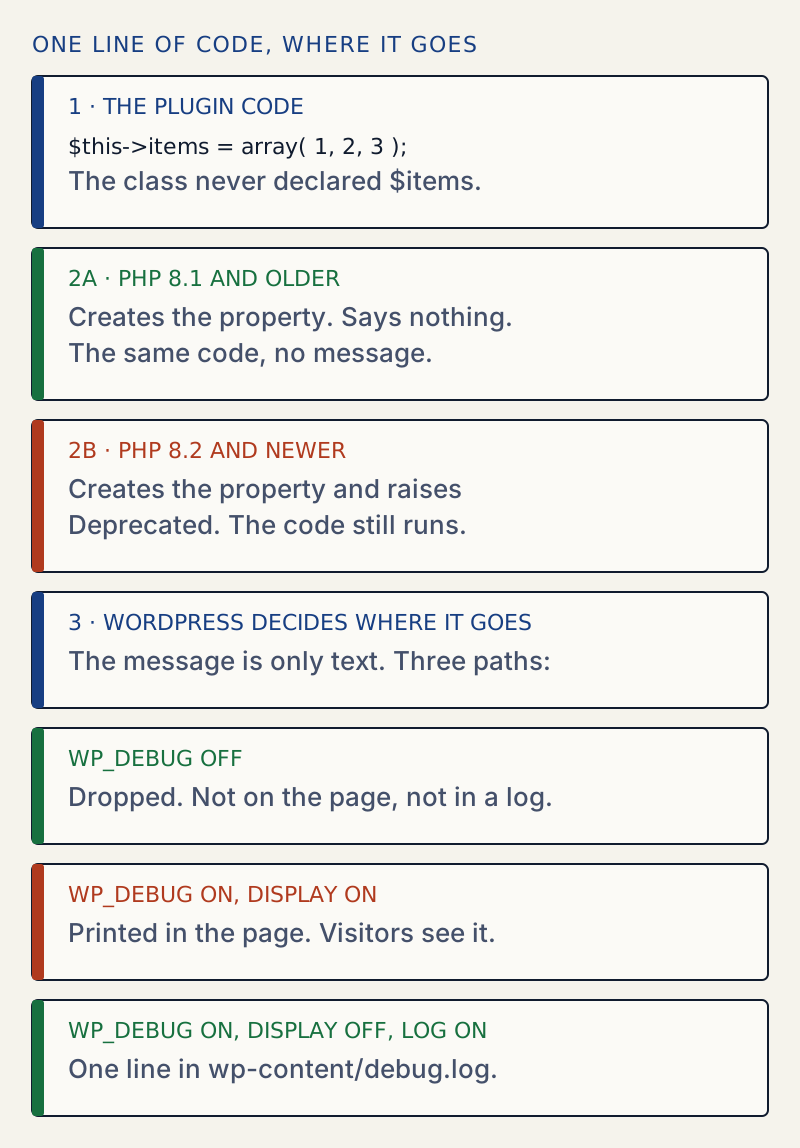
I ran the same file on four PHP versions. The only version difference was 8.2:
| PHP | Result for an undeclared property |
|---|---|
| 7.4.33 | No message |
| 8.1.34 | No message |
| 8.2.35 | Deprecated: Creation of dynamic property Plain::$items is deprecated |
| 8.3.36 | The same message |
PHP reports it when the property is created, which is once per object and not once per assignment. In my test, two objects of the same class gave two messages, and assigning the property a second time on one object gave none.
What PHP does not flag#
I tried each case below on PHP 8.3. Only the first is flagged.
| Code | Message on PHP 8.3 |
|---|---|
Class with no property declared, then $this->items = ... | Deprecated |
Property declared: public $items; | None |
Class marked #[AllowDynamicProperties] | None |
| Child class of a marked class | None |
Class with __set() and __get() | None |
stdClass, or (object) array() | None |
Reading a property that was never created is a different message: Warning: Undefined property: Declared::$nope. This page is about creating one. For the array version of the same idea, see the undefined array key page.
WordPress core marks its own classes the same way. WordPress 7.1.4 carries #[AllowDynamicProperties] 131 times, in 130 files, such as WP_Comment and WP_List_Table. That is why a clean install is silent and why the message almost always names a plugin or theme.
Why you may see it only sometimes#
PHP raises the message. Whether it reaches the page depends on WordPress. In wp_debug_mode(), WP_DEBUG off sets error_reporting to a list that leaves out E_DEPRECATED. So on most live sites the message is dropped before it is shown or logged. It shows up when WP_DEBUG is on. I tested each setting on the lab site:
| WP_DEBUG | WP_DEBUG_DISPLAY | WP_DEBUG_LOG | Result |
|---|---|---|---|
| off | any | any | Nothing on the page, even with the server's display_errors on |
| on | on (default) | any | On the page |
| on | off | on | Not on the page. One line per page load in wp-content/debug.log |
| on | off | off | Not on the page |
[30-Oct-2026 07:23:53 UTC] PHP Deprecated: Creation of dynamic property MyPlugin::$items is deprecated in /var/www/html/wp-content/plugins/my-plugin/my-plugin.php on line 7If you see this message, someone turned debugging on: you, a plugin that offers a debug mode, or a host's staging setup. Turning it off, or switching to the log, ends it.
When the message does real damage#
The message itself is harmless. Where it prints is not. Output that starts before WordPress sends its headers stops redirects from working. I put a four-line must-use plugin in wp-content/mu-plugins/early.php. It creates a property on an undeclared class in the admin_init hook, which runs before every admin screen:
<?phpclass EarlyThing {}add_action( 'admin_init', function () { $t = new EarlyThing(); $t->cache = 1;} );With display on, I saved Settings → General. The setting saved, but the page stayed on a block of text and never redirected. The screenshot below is the Dashboard, which shows the same text at the top:
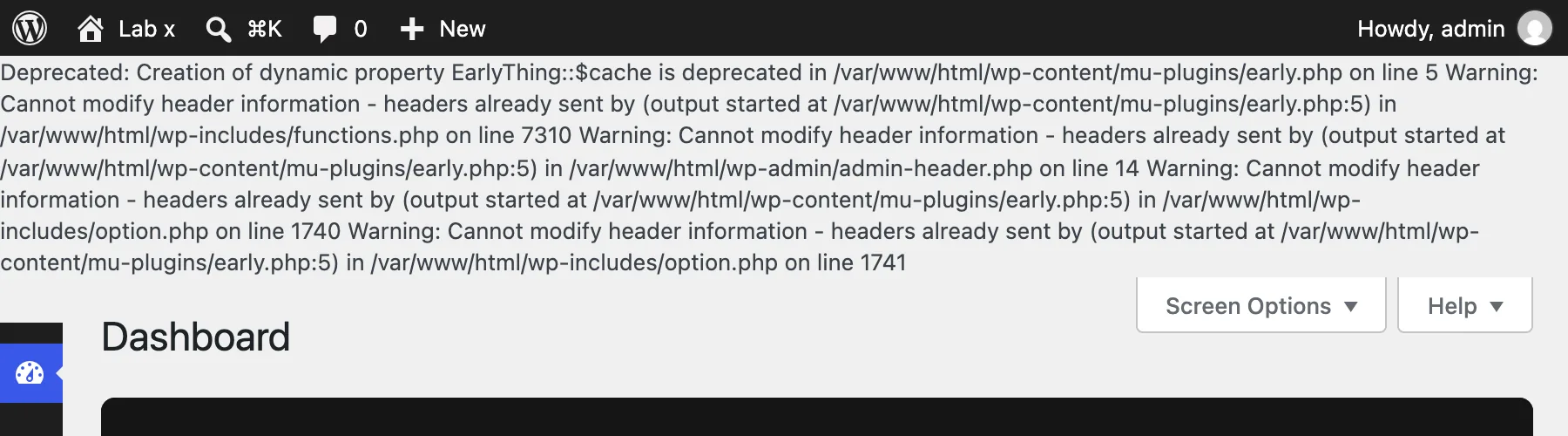
The save returned 200 with this text in front of the page. With WP_DEBUG_DISPLAY off, the same save returned 302 to options-general.php?settings-updated=true. I re-ran both on the day of writing. The extra warnings are explained on the headers already sent page. Fix the first message and the rest go away.
Edge cases I tested#
- The attribute on old PHP.
#[AllowDynamicProperties]ran without an error on PHP 7.4, because a line that starts with#is a comment there. Plugin authors can add it without raising their minimum PHP version. - The attribute does not change behaviour. It only turns the message off. A class marked with it can still create typo properties.
- A global switch. Putting
error_reporting( error_reporting() & ~E_DEPRECATED );in a must-use plugin removed the message from the page on my test site. It hides every deprecation, including the ones that warn you about code that will stop working. Prefer the log. - Not a reason to downgrade PHP. Going back to PHP 8.1 silences it, as the table above shows, but it only postpones the problem. Fix or replace the plugin instead.
If the page goes blank#
A deprecation never stops a page by itself. A blank page, or "There has been a critical error on this website", is a different problem: see the white screen of death and the critical error page.
Sources
- PHP manual: Deprecated features in PHP 8.2 · Dynamic properties are deprecated unless the class opts in. The page lists declaring the property, the attribute, and WeakMap.
- PHP RFC: Deprecate dynamic properties · Deprecated in PHP 8.2, planned to throw an Error in PHP 9.0. stdClass and __get/__set are exempt. Passed 52 to 25 (vote closed 2021-11-26).
- PHP manual: AllowDynamicProperties · The attribute, and that child classes inherit the permission.
- Debugging in WordPress · WP_DEBUG, WP_DEBUG_DISPLAY and WP_DEBUG_LOG, and the log-not-display setup for live sites.
- WordPress core: wp_debug_mode() in wp-includes/load.php · With WP_DEBUG off, error_reporting leaves out E_DEPRECATED. With it on, error_reporting is E_ALL.
- WordPress core: WP_Comment in wp-includes/class-wp-comment.php · One of the core classes marked #[AllowDynamicProperties].
One email when something breaks or changes.
New plugins and re-tested guides, about twice a month. Never a sales pitch.