Why it happens
- The rewrite rules WordPress saved are out of date. This follows a permalink change made without saving, an import, a restore, or a plugin or theme that adds a post type and never flushed.
- The permalink structure setting changed, for example after a migration or a settings import, and the saved rules still describe the old structure.
- On Apache, the
.htaccessfile is missing, empty or has lost the WordPress block, so pretty URLs never reach WordPress. - Apache is not allowed to read
.htaccess, becausemod_rewriteis off orAllowOverrideis set toNonefor the site folder. - On nginx, the site config has no
try_filesfallback toindex.php. - A plugin registers a post type or page with the same URL base as your posts, so one rule shadows the other.
How to fix it
Try the fixes in this order. Each one is independent: stop as soon as the error is gone.
Work out which 404 it is
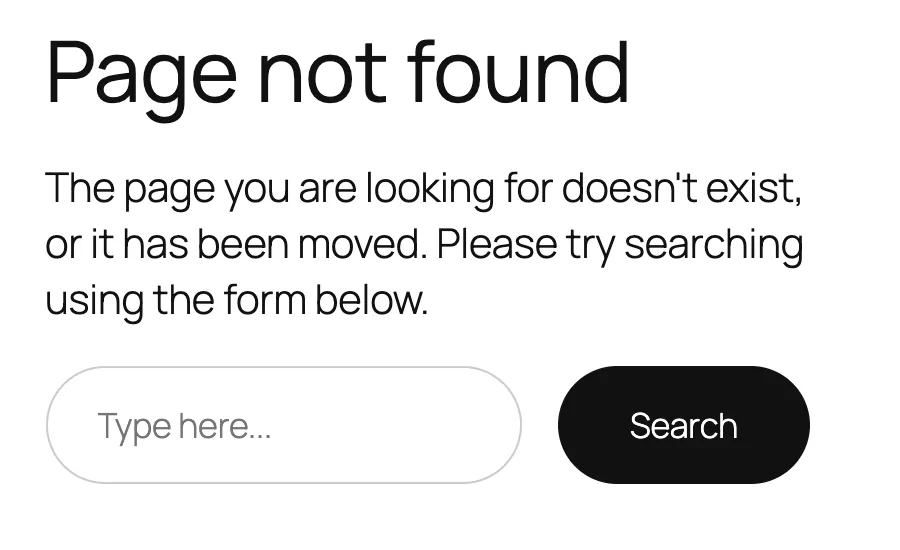
- A 404 page in your theme's style, with your header and menu, comes from WordPress. The rewrite rules do not match the URL. Go to the next fix.
- A plain page headed "Not Found" with the line "The requested URL was not found on this server" comes from the web server. WordPress never ran. Go to the .htaccess fix, or the nginx fix.
- Confirm the post exists and is published. In Posts → All Posts it should show as Published, not Draft, Private or Trash. With WP-CLI,
wp post list --fields=ID,post_name,post_statuslists the slug and status of each post. - If the post is missing or not published, that is the whole story, and no rewrite fix will help.
Flush the rewrite rules
- Open Settings → Permalinks, change nothing, and click Save Changes. This rebuilds the rules and, on Apache, rewrites
.htaccess. - With WP-CLI, run
wp rewrite flush. It rebuilds the rules saved in the database. - Reload a post. On my test site I made posts return 404 while pages worked by changing the permalink structure with
wp option update permalink_structureso the saved rules were stale.wp rewrite flushfixed it at once. - Check the structure with
wp option get permalink_structure. It should show what you expect, for example/%postname%/.
Check the permalink structure itself
- In Settings → Permalinks, pick the structure you want and save. If posts used to live at
/blog/post-name/or/2024/post-name/, set that exact structure, since a different one changes every post URL. - If a migration or import changed the structure unexpectedly, restore the old one and flush. See how to find and undo changed settings.
- Run
wp rewrite listto see the rules WordPress holds. It prints each pattern and the query it maps to.
Rebuild .htaccess on Apache
- Over SFTP, with hidden files shown, look for
.htaccessnext towp-config.php. I tested a site with no.htaccess. Every pretty URL returned Apache's "Not Found" page, pages included. - Save the permalink settings, as above. WordPress writes the file if it can.
- If WordPress shows "You should update your .htaccess file now", it cannot write to the file. Add the standard WordPress block by hand. It is shown in the 500 error guide. A broken
.htaccessalso causes that 500, so keep a copy before you edit it. wp rewrite flush --hardwrites.htaccessonly whenapache_modules: - mod_rewriteis set inwp-cli.yml. Without it, WP-CLI prints a warning about special configuration and does not create the file.- If the file is correct and the 404 stays, ask your host whether
mod_rewriteis on and whether the site folder allowsAllowOverride All. I did not test this case.
Add the fallback on nginx
- Nginx does not read
.htaccess. The site'slocation /block needstry_files $uri $uri/ /index.php?$args;. - Add it in the server config, test with
nginx -t, then reload nginx. If you are on managed hosting, ask the host to check it. - Save the permalinks again afterwards. I did not run nginx for this page, and the line comes from the WordPress nginx documentation.
Look for a conflicting plugin
- If only one type of content 404s, such as a custom post type or products, check the plugin that registers it. Re-save permalinks after any change to its slug.
- Deactivate other plugins that change URLs, such as redirect or multilingual plugins, one at a time, saving permalinks each time.
- Run
wp rewrite listand look for two rules that match the same URL. The first match wins.
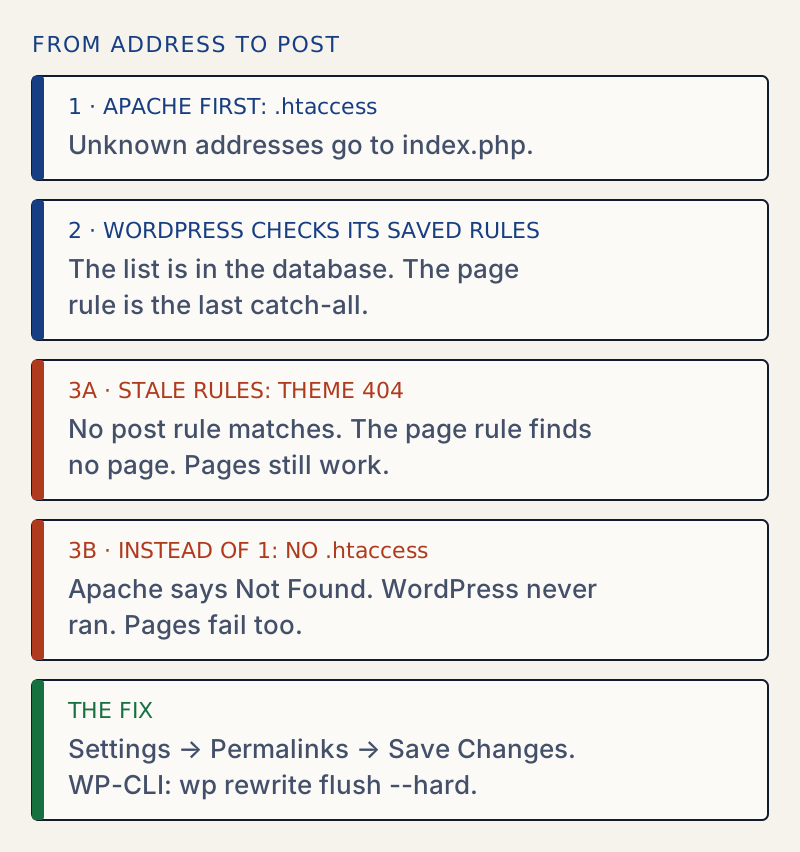
WordPress turns a pretty address such as /my-post/ into a query using a list of rewrite rules. The list lives in the database, and on Apache a rule in .htaccess hands every unknown URL to index.php. If either part is wrong, WordPress cannot match the address, and you see a 404.
Pages often keep working when posts do not, because the page rule is the last catch-all in the list. A post address that no longer matches its own rule falls through to the page rule, WordPress looks for a page with that name, finds none, and shows the 404.
Reproducing it#
I set the permalink structure to one with a year in it, then changed the saved option back to /%postname%/ without flushing. The result on WordPress 7.1.4:
| Address | Result |
|---|---|
/hello-world/ (a post) | 404, with the theme's "Page not found" page |
/sample-page/ (a page) | 200 |
/2026/hello-world/ (the old structure) | 200 |
wp rewrite flush then made /hello-world/ return 200 again.
A different failure is a missing .htaccess on Apache. There, posts and pages both return Apache's own "Not Found" page, because the server never hands the address to WordPress. The home page and /wp-admin/ still load, which can look like "only posts are broken".
Which fix to start with#
- If the 404 page is styled like your theme, flush the rules. This is the most common case.
- If it is a plain server page, fix
.htaccessor the nginx config. - If it started after a settings change, check the permalink structure.
- If only one custom content type is affected, look at the plugin that registers it.
If a settings change caused it#
A permalink structure that changed by itself is usually the cause behind a repeat 404. An import, a staging copy pushed to live, or a plugin reset can all rewrite it. A snapshot of your settings taken before the change shows the difference between the old and the new structure in plain words.
Compare two snapshots, or a snapshot with the live site, and read changes like "Comments: open → closed". The raw key is one click away.
After it is fixed#
Open a post, a page, a category, a tag and a custom post type if you have one. Check the feed at /feed/ as well. Search results use rewrite rules too. If you changed server files, keep a copy of the working version.
If a broken .htaccess makes the whole site show a 403 or a redirect loop instead, see 403 Forbidden and too many redirects.
Related: moving settings from staging to live, and the JSON response error, which has the same cause when the REST address returns a 404.
Sources
- WordPress: Apache (httpd) configuration · The standard Apache rewrite block and how it hands URLs to index.php
- WordPress: nginx configuration · The try_files fallback to index.php
- WP-CLI: wp rewrite flush · Rebuilds the rules, and --hard needs mod_rewrite set in wp-cli.yml
- WordPress core: WP_Rewrite · How the saved rules are built from the database
- WordPress core: class-wp-rewrite.php (6.8.3) · WP_Rewrite::rewrite_rules() builds the rule list, with the page rules added after the post rules
- Apache HTTP Server: mod_rewrite · What RewriteRule and RewriteCond do
- MDN: 404 Not Found · What the status means
One email when something breaks or changes.
New plugins and re-tested guides, about twice a month. Never a sales pitch.