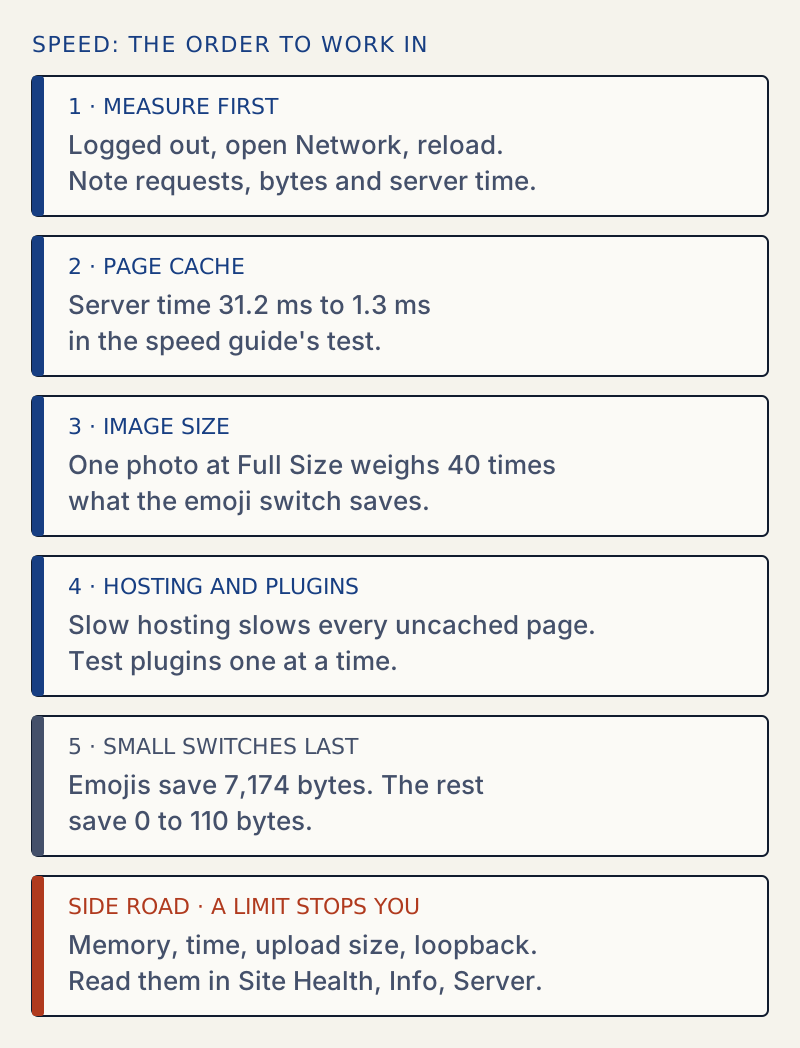
Measure first, then add a page cache, then shrink images, and leave the small switches for last. To measure, time the server and count the bytes for your home page in a private window. In the speed guide's tests, a page cache and image sizes saved far more than any small switch. Those numbers come from one small test site, so compare ratios on your own site, not milliseconds.
Where to start#
| What you notice | Open |
|---|---|
| Pages load slowly for visitors | Speed settings, measured, then the page cache item in Site Health and your host's page cache |
| A photo will not upload | File exceeds the maximum upload size |
| An upload gives a 413 | 413 Request Entity Too Large |
| "Allowed memory size exhausted" | Allowed memory size exhausted |
| "Maximum execution time exceeded", a 502 or a 504 | Execution time, 502, 504 |
| A white screen or a 500 | 500 Internal Server Error, then the debug log |
| Scheduled posts do not go out | Missed schedule |
| Site Health says loopback failed | Loopback request |
Read your limits in one place#
Most of the upload and memory errors above come down to five numbers. WordPress lists them for you. Open Tools → Site Health → Info, then open Server.
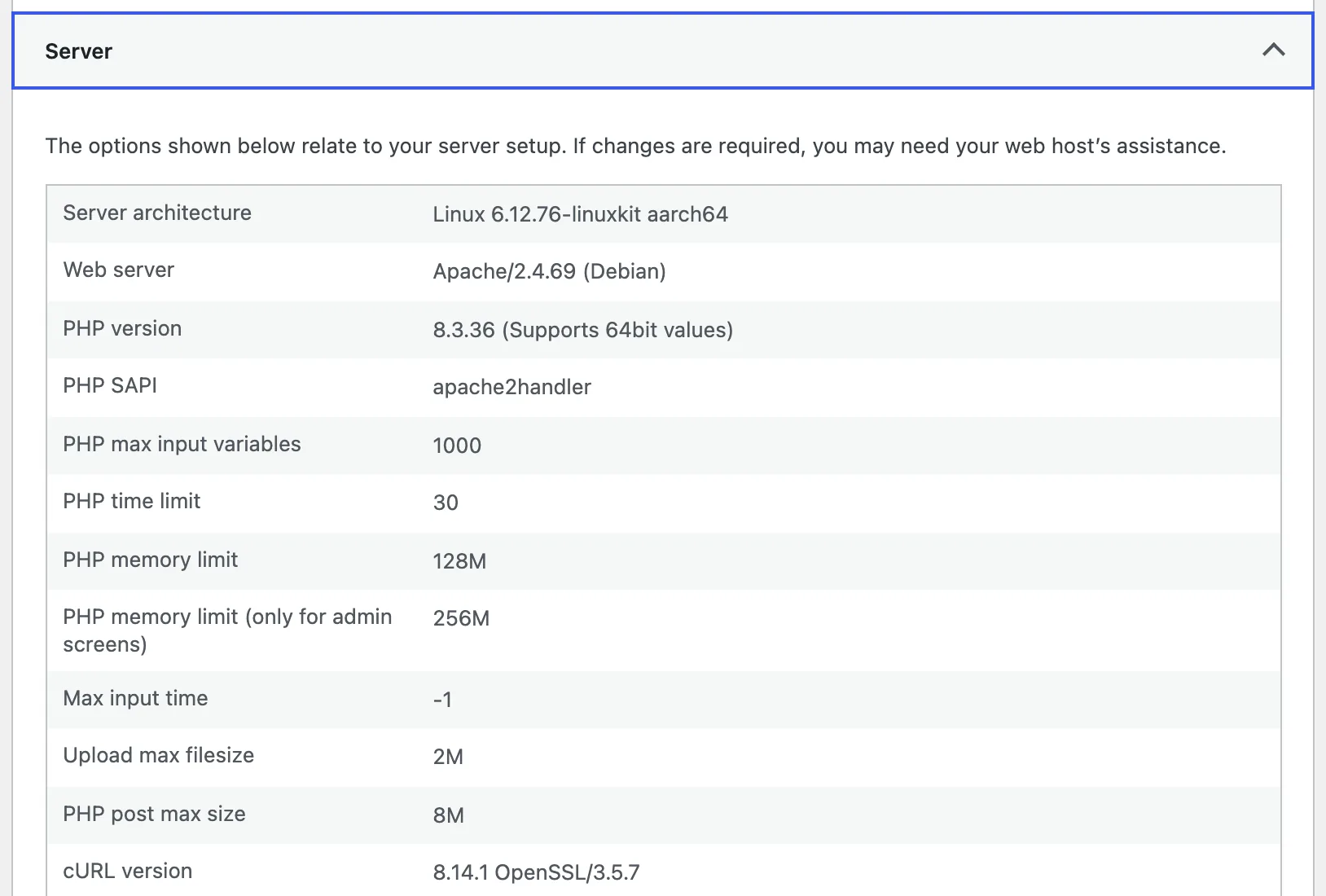
- PHP time limit is how many seconds one request may run. The execution time page explains what counts toward it.
- PHP memory limit is per request. The admin-only line is the higher limit WordPress uses on admin screens.
- Upload max filesize and PHP post max size: WordPress uses the smaller one as the upload limit. On this site that is 2 MB, even though the post size is 8 MB.
Change a limit only after you have read the message that sent you here. The memory page says to look for the cause above 512M instead of raising the number again.
What to leave alone#
The speed guide measured the small switches one at a time. They are fine to turn on, and none of them is a cure:
- Emojis saved one request and 7,174 bytes on a 93 KB page, the only one worth printing in kilobytes.
- Head tags, embeds, heartbeat on the public site, revision limits saved between 0 and 110 bytes on the front page. A revision limit keeps the database smaller; it does not change page speed.
- Server time did not change with any of them. Differences of 2 to 5 ms between runs are noise.
Counting plugins is a poor guide too. Five active plugins added about 5 ms on the test site. A plugin that calls an outside service on every page can add more, so test one at a time on a staging copy. This is a general caution; the speed guide did not measure it.